Free · No sign-up · Runs in your browser
Free online scientific calculator
Work out trig, logarithms, powers, roots, and factorials right in your browser. Type something like 3 × sin(30) + √2 and the answer updates as you go, with degree and radian modes, memory keys, and a history you can tap to reuse. No install, no sign-up.
History
What this tool is
A full scientific calculator, right in the browser
A scientific calculator does everything a basic one does, adding, subtracting, multiplying and dividing, and then keeps going: trigonometry, logarithms, exponents, powers, roots, factorials, and constants like π and e. This one runs entirely in your browser, so there is nothing to download and nothing to sign up for. As you type, it shows a live preview of the answer, so you can catch a mistyped bracket before you ever press equals.
It is built for the everyday moments where you just need the number: checking a physics answer, working through a trig identity, evaluating a logarithm for a chemistry problem, or double-checking a factorial in a probability question. If instead you need to see a function as a curve, our free online graphing calculator plots y = f(x), and this page is the companion tool for pure calculation.
Every answer is computed to twelve significant figures and shown the way you would write it by hand, switching to ×10ⁿ notation only when a value is too large or too small to read cleanly. Nothing you type leaves your device, so the calculator keeps working even if your connection drops, and it stays free, with every function unlocked.
That difference is why a scientific calculator becomes the standard tool from algebra onward. Once a problem involves an angle, a growth rate, a very large number, or a "how many ways can this happen" question, plain arithmetic stops being enough. Everything in the list below is on this page:
| Category | What you get |
|---|---|
+ − × ÷ | The four operations, with full order-of-operations handling |
xʸ log ln | Powers, common logarithms and natural logarithms |
√ ∛ | Square root, cube root, and any other root via a fractional power |
x⁻¹ | Reciprocal |
sin cos tan | Trigonometry, plus the inverse functions for finding an angle |
x! nPr nCr | Factorials, permutations and combinations for probability |
π e | Built-in constants, exact to the calculator's full precision |
×10ˣ | Scientific notation for very large and very small quantities |
DEG RAD | Both angle modes, switchable at any point |
( ) | Grouping, nested to any depth |
MS MR M+ M− MC | A memory register, plus Ans for the previous result |
The keys are not the hard part. Knowing which key a problem is asking for is the hard part, and that is what the rest of this page is about.
How to use it
Four steps, then you are calculating
- 1 · Set degrees or radians. Tap the DEG/RAD key so the trig functions match your problem. School geometry is usually degrees; calculus is usually radians.
- 2 · Type your expression. Use the keypad or, on a laptop, your own keyboard. You can mix numbers, brackets, and functions freely, for example 3 × (2 + sin(30)).
- 3 · Reach more with SHIFT. Tap the gold SHIFT key, then a function key, to use the second function printed above it in gold: sin → sin⁻¹, ln → eˣ, log → 10ˣ, x² → x³, and √ → cube root. SHIFT applies to the next key only, just like a real calculator.
- 4 · Press equals. The answer is saved as Ans and dropped into your history, so you can build the next calculation on top of it.
On a physical keyboard: Enter evaluates, Backspace deletes, and Escape clears everything.
See it in action
Worked examples you can retype
Real inputs and the exact results this calculator returns. Type any of them in to follow along.
Sine of an angle
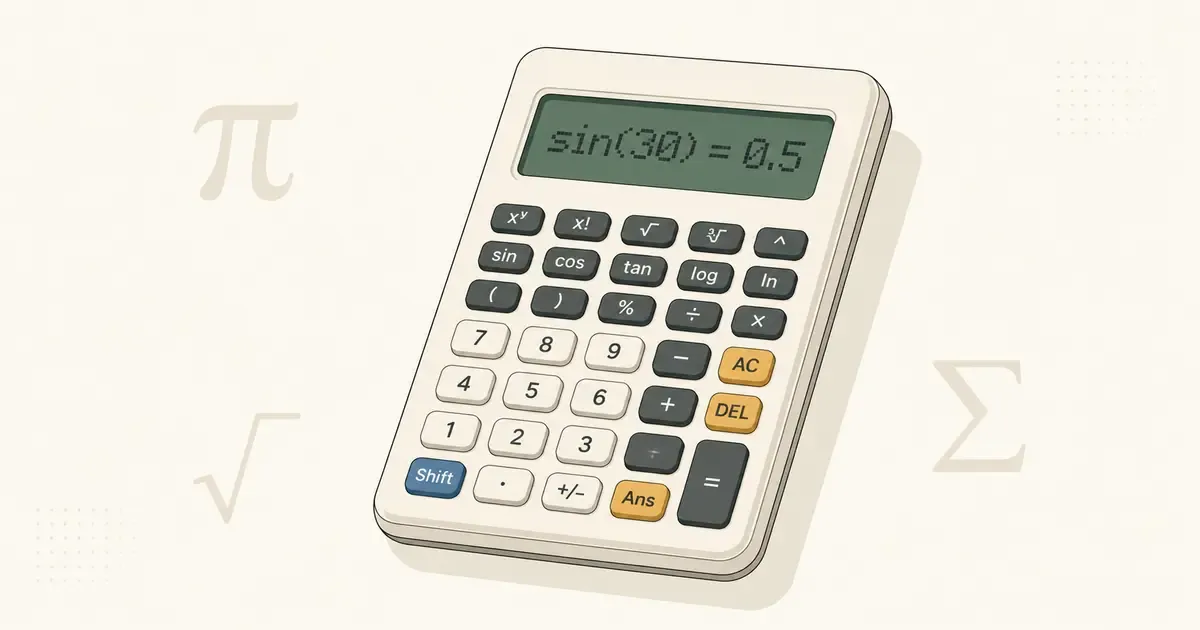
In degree mode, a 30° angle has a sine of exactly one half, the classic special-triangle value.
Common log of 1000
Because 10³ = 1000, the base-10 logarithm asks "10 to what power?" and answers 3.
A power of two
Use the xʸ key for any exponent. Two to the tenth is the reason 1 KB is 1024 bytes.
Five factorial
5 × 4 × 3 × 2 × 1 = 120, the number of ways to arrange five distinct items in order.
Natural log of e
The natural logarithm undoes eˣ, so ln(e) is 1. Tap the e key to insert Euler's number.
A quick percentage
The % key divides by 100, so this reads "15 percent of 80." Then press Ans to keep going.
Permutations
Three-letter passwords from ten letters with no repeats. Order matters here, because AB and BA are different passwords.
Combinations
A three-person committee from ten people. Order does not matter, so this is six times smaller than the permutation above.

nPr and nCr, the pair everyone mixes up
Both count how many ways you can pick r things from n. The only difference is whether the order of your picks matters.
Why does nCr divide by an extra factorial? Because every unordered group of r people can be lined up in r! different orders, and the permutation count treats each of those orderings as a separate result. Dividing by r! collapses them back into one. For the committee above: 720 ordered picks, divided by 3! = 6 orderings each, gives 120 actual committees.
Look for the verb. Arrange, order, rank, line up, first-second-third means permutations. Choose, select, group, committee, subset means combinations.

Logarithms in a base that is not 10 or e
The keypad gives you base 10 with log and base e with ln. Any other base is one division away, using the change-of-base rule.
So log₂(8) becomes ln(8) ÷ ln(2), which is 2.0794 ÷ 0.6931 = 3. Check it against the definition: 2³ = 8. The same trick handles any base you are given.
The same idea covers roots. There is a √ key and a ∛ on SHIFT. For anything beyond that, use a fractional power. A fifth root is x^(1/5).
Who it's for
Made for real coursework, not just quick sums
Whether you are finishing a trigonometry worksheet, balancing a chemistry equation, or working through a statistics problem, the functions you actually need are one tap away, and they behave the way your textbook expects.
- Maths & geometry: trig ratios and their inverses, powers, roots, and factorials for sequences and probability.
- Physics & engineering: radians for wave and circular-motion problems, plus ×10ˣ scientific notation for very large or very small quantities.
- Chemistry: log and ln for pH, reaction rates, and equilibrium constants.
- Statistics: nPr and nCr for permutations and combinations, right on the keypad.

Out in the world
Where you actually use these keys
Textbook problems make these functions look academic. They are not. Each one exists because a real question kept coming up.
Combinations explain odds. A six-from-49 lottery has 49 nCr 6 = 13,983,816 possible tickets. That single number describes the whole game more honestly than any advertisement: one ticket in fourteen million. The same key answers the everyday version: how many different three-person teams you can form from ten colleagues, or how many five-card hands exist in a deck.
Logarithms compress scales that would otherwise be unreadable. Earthquake magnitude and sound level are both logarithmic, because the raw quantities span too many orders of magnitude to plot or discuss sensibly. A magnitude 6 quake releases roughly 32 times the energy of a magnitude 5, not 20% more. Ten extra decibels is ten times the sound intensity, not a tenth more noise. The log key moves you between the friendly scale and the physical quantity underneath it.
Trigonometry is anything with a slope or an angle. Roof pitch, the gradient of a wheelchair ramp, the length of a stair stringer, the height of a tree measured from the length of its shadow. tan θ = opposite / adjacent covers most of it, and tan⁻¹ gets you back to the angle when you already know the two lengths.
Scientific notation handles the very large and the very small. Avogadro's number is 6.022×10²³; the mass of an electron is 9.109×10⁻³¹ kg. Chemistry and astronomy are simply not workable without a way to write and multiply numbers like these, and a calculator that tracks the exponent for you removes an entire class of counting error.
Angle mode decides which world you are in. Surveying, navigation and construction speak degrees. Calculus, physics, and anything with π in it speak radians. Choosing wrong does not produce an error. It produces a confident, plausible, wrong number, which is considerably worse.
There is a broader point underneath all five. The value of the tool is not that it is fast at arithmetic. It is that offloading the arithmetic frees you to think about how the problem is set up, and to notice when an answer is not plausible. A calculator that returns 13,983,816 is only useful if you stop and register what that number means.

Button reference
Every key, in plain English
What each function does, how to type it, and a quick example. Press SHIFT first for the gold second function printed above a key.
| Button | Does | Example → result |
|---|---|---|
sin cos tan | Trig ratios (degrees or radians) | cos(60) → 0.5 |
SHIFT → sin⁻¹ | Inverse trig (arc functions) | sin⁻¹(1) → 90 |
ln | Natural logarithm (base e) | ln(e) → 1 |
log | Common logarithm (base 10) | log(1000) → 3 |
SHIFT → eˣ / 10ˣ | Exponential functions | eˣ(1) → 2.718… |
xʸ | Raise to any power | 2^10 → 1024 |
x² (SHIFT x³) | Square or cube a value | 7² → 49 |
√ (SHIFT ∛) | Square root / cube root | √(2) → 1.41421356 |
x⁻¹ (SHIFT x!) | Reciprocal / factorial | 5! → 120 |
|x| | Absolute value | |−4| → 4 |
nPr nCr | Permutations / combinations | 5 nCr 2 → 10 |
mod | Remainder after division | 7 mod 3 → 1 |
×10ˣ | Scientific notation (×10ⁿ) | 1.2×10^3 → 1200 |
π e | Built-in constants (SHIFT π → e) | 2π → 6.28318531 |
% | Percent (divide by 100) | 50% → 0.5 |
Ans | Reuse your last answer | Ans + 1 |
MS MR M+ M− | Store, recall, and adjust memory | MS then MR |
Three habits that prevent almost every wrong answer
Close every parenthesis. Five opening brackets need five closing ones. This matters more than it sounds, because an unclosed bracket does not throw an error. It quietly returns a different number, and the answer looks perfectly reasonable. More wrong answers come from this than from any other cause. Our live preview helps: it shows an ellipsis until the expression is complete.
Check the angle mode before touching a trig key. Type sin(30). If you get 0.5 you are in degrees. If you get −0.988 you are in radians, and every trig answer on your page is wrong. The active mode is always displayed in the top-left of the screen.
Know the difference between (−) and −. One makes a number negative, the other subtracts one number from another. They are not interchangeable, and mixing them up inside a longer expression is hard to spot afterwards.
A missing bracket never announces itself. If a result feels off by a strange amount, count your brackets before you check anything else.
Reusing a result
Ans holds your last answer. Work out 2^4, then type Ans − 10 and you get 6 without retyping anything. Every result also lands in the history panel below the keypad, so you can scroll back through a whole worksheet.
For longer problems, use memory. MS stores what is on the display, M+ adds to it, M− subtracts from it, MR recalls it, and MC clears it. The usual pattern is parking an intermediate value, such as a denominator you need three times, instead of writing it on paper and typing it back in with a typo.
Four practice runs worth doing once
- √(9) → 3, which confirms the order you press things in.
- 2^3 → 8. If you get 9, you actually entered 3^2.
- sin(30) in DEG → 0.5, which confirms your angle mode.
- 3^4/(3+(25/3+4×(-(1^2)))), a deliberate bracket stress test.
Good to know
It follows the order of operations for you
You never have to break a calculation into pieces. Type it the way it is written and the calculator applies standard PEMDAS / BODMAS order automatically: brackets first, then exponents and roots, then multiplication and division, and finally addition and subtraction. So 2 + 3 × 4 returns 14, not 20, because the multiplication happens first.
When you want a different order, add brackets: (2 + 3) × 4 returns 20. Multiplication next to a bracket is understood too, so 3(4) is treated as 3 × 4. If something looks off, the live preview shows an ellipsis until the expression is complete, usually a sign of a missing closing bracket.
PEMDAS and BODMAS are the same rule wearing different hats. They only look contradictory because one lists multiplication before division and the other lists division first. Neither is more correct, because those two operations sit at the same level of precedence, and so do addition and subtraction.
When operations share a level, you work left to right, and that resolves every apparent conflict. 8 ÷ 4 × 2 is (8 ÷ 4) × 2 = 4, not 8 ÷ (4 × 2) = 1. Likewise 10 − 3 + 2 is (10 − 3) + 2 = 9, not 5.
If your answer disagrees with a hand calculation, the calculator is almost certainly right and a bracket is almost certainly missing.
Degrees vs radians
Which angle mode should you use?
Both measure the same angle, they just use different units, and picking the wrong one is the single most common reason a trig answer comes out strange. Degrees split a full turn into 360 parts; a right angle is 90°. Radians measure the angle by arc length on a circle of radius 1, so a full turn is 2π and a right angle is π/2.
As a rule of thumb: use degrees for school geometry, surveying, and most everyday angle problems, and radians for calculus, physics involving waves or rotation, and anything expressed in terms of π. Tap the blue DEG/RAD key to switch. The current mode always shows in the top-left of the display, so you can check at a glance before you trust a sine or cosine.
Radians are not an arbitrary preference in calculus. The derivative d/dx[sin x] = cos x is only true in radians. So is the small-angle approximation sin x ≈ x, and so is the arc-length formula s = rθ. Work in degrees inside calculus and those results quietly stop holding.
Compute sin⁻¹(sin(30)). In degrees you get 30 back. In radians you get about 0.5236, which is π/6.
| Degrees | Radians | Degrees | Radians |
|---|---|---|---|
30° | π/6 | 120° | 2π/3 |
45° | π/4 | 180° | π |
60° | π/3 | 270° | 3π/2 |
90° | π/2 | 360° | 2π |
Convert using the π key rather than typing 3.14159. Rounding π early and then multiplying propagates the error through everything that follows.
Questions, answered
Scientific calculator FAQ
Is this scientific calculator free to use?
Yes. Every function is free, with no sign-up, no app to install, and no paywall. Open the page and start calculating. It works the same on a phone, tablet, Chromebook, or desktop.
How do I switch between degrees and radians?
Tap the DEG/RAD key near the top of the keypad. In degree mode, sin(30) returns 0.5; in radian mode, sin(π/6) returns 0.5. The current mode is shown on the display so you always know which one is active.
What does the SHIFT button do?
It reaches the gold second function printed above a key: sin becomes sin⁻¹, ln becomes eˣ, log becomes 10ˣ, x² becomes x³, √ becomes the cube root, and x⁻¹ becomes the factorial. SHIFT applies to the next key only, then switches itself off, exactly like a physical calculator.
How do I use the nPr button?
Enter the total number of items, tap nPr, enter how many you are choosing, then press equals. For 10 nPr 3 you get 720. Use it whenever the order of your selection matters: arrangements, rankings, passwords. When order does not matter, use nCr instead, which for the same numbers gives 120.
Why is there a factorial in the denominator of nPr?
nPr = n!/(n−r)! uses that denominator to cancel the items you did not pick. 10! counts every arrangement of all ten items; dividing by 7! removes the orderings of the seven you left behind, leaving 10 × 9 × 8 = 720.
How do I do a square root or an nth root?
Tap √ for a square root, or SHIFT then √ for a cube root. For any other root, use a fractional power with the xʸ key: a fifth root of 32 is 32^(1/5), which returns 2. Keep the fraction in brackets, or the exponent will only apply to the 1.
How do I calculate log versus ln?
log is base 10 and ln is base e. For any other base, divide one logarithm by another: log₂(8) becomes ln(8)/ln(2), which returns 3. Either key works for this, as long as you use the same one top and bottom.
How do I calculate a percentage?
The % key divides by 100, so 80 × 15% gives 12. For the three standard questions: a part as a percentage of a whole is (part ÷ whole) × 100, so 45 out of 60 is 75%. A percentage of a total is (percent ÷ 100) × whole, so 20% of 50 is 10. And a change is ((new − old) ÷ old) × 100, so $50 rising to $60 is a 20% increase.
Can I use my keyboard to type calculations?
Yes. On a laptop or desktop you can type digits and + − * / ^ ( ) directly, press Enter to evaluate, Backspace to delete, and Escape to clear. The on-screen keypad does the same job on touch devices.
What is Ans, and how do the memory keys work?
Ans inserts the result of your last calculation so you can build on it. MS stores the current value in memory, MR recalls it, M+ and M− add to or subtract from it, and MC clears it. An "M" indicator appears on the display when memory holds a value.
Does it follow the correct order of operations?
Yes. The calculator applies standard PEMDAS / BODMAS order: brackets first, then exponents and roots, then multiplication and division left to right, then addition and subtraction left to right. So 2 + 3 × 4 returns 14, and 8 ÷ 4 × 2 returns 4.
Can this calculator graph functions too?
This tool is a numeric scientific calculator. It returns exact values, not curves. To plot y = f(x) and explore its shape, roots, and turning points, open the free online graphing calculator or the polar graphing calculator.
Keep exploring
Pair it with a graphing tool
This calculator answers what is the number. For what does it look like, these two plot it.
Graphing calculator
Plot y = f(x), find roots and intercepts, and see where two curves cross, all updating as you type.
Open the free online graphing calculatorPolar graphing calculator
Enter r = f(θ) to trace roses, spirals, and cardioids in polar coordinates.
Open the polar graphing calculatorNew to either one? Start with the guide to plotting functions and finding roots, or the guide to graphing polar equations if you are working in r and θ.
Need the picture, not just the number?
This scientific calculator handles the arithmetic. When you want to see the function behind it, our graphing tools are one click away. Free, no sign-up.